Find Duplicate Files

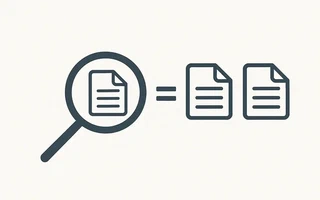
Duplicate files take up unnecessary space on the disk. Fortunately, there are tools that automate the search for duplicates.
Fdupes
Install fdupes:
julio@acer ~> sudo pacman -S fdupes
Run fdupes in recursive mode (-r) and redirect the output to a file:
julio@acer ~/Documents/Ebooks> fdupes -r . > dupes1.txt
On my computer, this command took only 7 minutes to analyze 23500 files. The output file,
dupes1.txt, had 5714 lines!
julio@acer ~/Documents/Ebooks> fdupes -rf . > dupes2.txt
It took about 7 minutes to analyze 23500 files: dupes2.txt: 3878 lines
Removing blank lines from dupes2.txt using sed -i '/^$/d' dupes2.txt, the file ended up with
2054 lines.
Many of the files it recognized as duplicates were intentionally identical. Examples of programming
books are often repeated. Some version control files (git, svn, etc.) were recognized as
duplicates, but should not be deleted.
If you want to reduce disk space usage but avoid breaking anything, you can create a script that replaces all duplicate files with hard links.
Delete all duplicate files (be careful with this script):
julio@acer ~/Documents/Ebooks> while read f; do rm "$f"; done < dupes2.txt
Gemini
A good paid alternative for Mac is Gemini, which lists all duplicates in a user-friendly interface and allows you to preview them before sending them to the trash.

I’m a Brazilian computer engineer based in Germany, passionate about tech, science, photography, and languages.
I’ve been programming for about two decades already, exploring everything from mobile apps and web development to machine learning. These days I focus on cloud SRE and data engineering.
I volunteer in the open source and Python communities, helping organize PyCon DE and PyData Berlin, mentoring, and contributing with code and translations.
On my blog, I share Linux tips, setup guides, and personal notes I’ve written for future reference. I hope others find them helpful as well. The content is available in multiple languages.
Browse my gallery for some of my photography.
Away from the keyboard, you’ll find me at concerts, playing clarinet, cycling, scuba diving, or exploring new places, cultures, and cuisines.
Always happy to connect! 🙂