Auflösung herausfinden und ändern

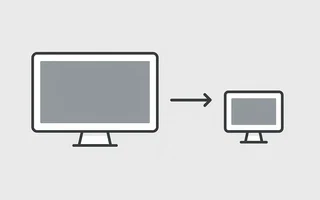
Die aktuelle Auflösung herausfinden
xdpyinfo | grep 'dimensions:'
oder
xrandr | grep '*'
Die Auflösung ändern
Ohne jede Konfiguration hat mein Awesome sowohl dem Notebook-Display (LVDS1) als auch dem per
HDMI angeschlossenen Fernseher schlechte Auflösungen zugewiesen:
julio@julio-acer ~> xrandr -q
Screen 0: minimum 320 x 200, current 1024 x 768, maximum 8192 x 8192
LVDS1 connected 1024x768+0+0 (normal left inverted right x axis y axis) 293mm x 164mm
   1366x768       60.0 +
   1024x768       60.0*
   800x600        60.3     56.2
   640x480        59.9
VGA1 disconnected (normal left inverted right x axis y axis)
HDMI1 connected 1024x768+0+0 (normal left inverted right x axis y axis) 160mm x 90mm
   1920x1080      60.0 +   60.0
   1280x1024      60.0
   1280x720       60.0
   1024x768       60.0*
   800x600        60.3
   640x480        60.0     59.9
   720x400        70.1
DP1 disconnected (normal left inverted right x axis y axis)
DP2 disconnected (normal left inverted right x axis y axis)
TV1 unknown connection (normal left inverted right x axis y axis)
   848x480        30.0 +
   640x480        30.0 +
   1024x768       30.0
   800x600        30.0
Zur Behebung habe ich den folgenden Befehl benutzt:
julio@julio-acer ~> xrandr - -output HDMI1 --auto
julio@julio-acer ~> xrandr - -output LVDS1 - -auto
Da ich das Notebook-Display nicht brauche, kann ich es so abschalten:
xrandr - -output LVDS1 - -off
Scripts
xrandir
Speichere das folgende Skript unter ~/Scripts/monitore und trag es in .xinitrc ein:
#!/bin/bash

EXTERNAL_OUTPUT="HDMI1"
INTERNAL_OUTPUT="LVDS1"
# EXTERNAL_LOCATION may be one of: left, right, above, or below
EXTERNAL_LOCATION="right"

case "$EXTERNAL_LOCATION" in
       left|LEFT)
               EXTERNAL_LOCATION="--left-of $INTERNAL_OUTPUT"
               ;;
       right|RIGHT)
               EXTERNAL_LOCATION="--right-of $INTERNAL_OUTPUT"
               ;;
       top|TOP|above|ABOVE)
               EXTERNAL_LOCATION="--above $INTERNAL_OUTPUT"
               ;;
       bottom|BOTTOM|below|BELOW)
               EXTERNAL_LOCATION="--below $INTERNAL_OUTPUT"
               ;;
       *)
               EXTERNAL_LOCATION="--left-of $INTERNAL_OUTPUT"
               ;;
esac

xrandr |grep $EXTERNAL_OUTPUT | grep " connected "
if [ $? -eq 0 ]; then
    xrandr --output $INTERNAL_OUTPUT --off --output $EXTERNAL_OUTPUT --auto $EXTERNAL_LOCATION
else
    xrandr --output $INTERNAL_OUTPUT --auto --output $EXTERNAL_OUTPUT --off
fi

#END
Xorg
Ein anderer Weg ist, /etc/X11/xorg.conf zu bearbeiten. Allerdings bekommt der zweite Bildschirm
dabei aus irgendeinem Grund die falsche Auflösung:
Section "Device"
    Identifier  "Card0"
    Driver      "intel"
    BusID       "PCI:0:2:0"
    Screen       0
EndSection

Section "Device"
    Identifier  "Card1"
    Driver      "intel"
    BusID       "PCI:0:2:0"
    Screen       1
EndSection

Section "Monitor"
    Identifier   "Fernseher"
    Option       "Enable"    "true"
EndSection

Section "Monitor"
    Identifier   "Notebook"
    Option       "Enable"    "true"
EndSection

Section "Screen"
    Identifier "Screen0"
    Device     "Card0"
    Monitor    "Fernseher"
    DefaultDepth 24

    SubSectionSub "Display"
        Depth     24
        Modes    "1920x1080"
    EndSubSection
EndSection

Section "Screen"
    Identifier "Screen1"
    Device     "Card1"
    Monitor    "Notebook"
    DefaultDepth 24

    SubSectionSub "Display"
        Depth     24
        Modes    "1366x768"
    EndSubSection
EndSection

Section "ServerLayout"
    Identifier     "By Julio"
    Screen      0  "Screen0"
    Screen      1  "Screen1"
    Option    "Xinerama" "true"
EndSection
Links

Ich bin ein brasilianischer Computeringenieur mit Wohnsitz in Deutschland und begeistere mich für Technik, Wissenschaft, Fotografie und Sprachen.
Ich programmiere seit etwa zwei Jahrzehnten und habe dabei alles von mobilen Apps und Webentwicklung bis hin zu Machine Learning erkundet. Derzeit fokussiere ich mich auf Cloud‑SRE und Data Engineering.
Ich engagiere mich ehrenamtlich in den Open‑Source- und Python‑Communities, helfe bei der Organisation der PyCon DE und PyData Berlin, betreue als Mentor und trage mit Code und Übersetzungen bei.
In meinem Blog teile ich Linux‑Tipps, Einrichtungsanleitungen und persönliche Notizen, die ich als spätere Referenz geschrieben habe. Ich hoffe, dass sie auch anderen nützlich sind. Die Inhalte sind in mehreren Sprachen verfügbar.
Schau dir meine Galerie an, um einige meiner Fotografien zu sehen.
Abseits der Tastatur findest du mich auf Konzerten, beim Klarinettenspiel, Radfahren, Tauchen oder beim Erkunden neuer Orte, Kulturen und Küchen.
Ich freue mich immer über den Austausch! 🙂