Vim without Esc

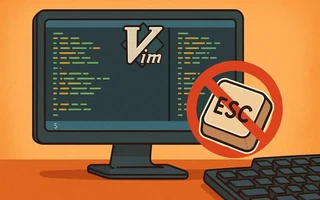
As I have already mentioned in an earlier post, I consider the Esc key on my keyboard to be both
small and badly placed. For a frequent user of the Vim editor that is a big problem, since Esc is
one of the most used keys. It is how we reach command mode (normal mode).
Even on more ordinary keyboards, the long trip to press that key does not feel natural.
And in fact it is not!
When Bill Joy created vi he was using an ADM-3A. Just looking at that computer’s
keyboard makes the reason for some of the key choices obvious: the movement arrows were printed on
the HJKL keys and Esc sat where we now have Tab.
As always, there is more than one way to work around this problem. Here I will show 5 alternatives to the Esc key.
Ctrl-[
In Vim, Ctrl-[ does exactly the same thing as Esc. Even though it is two keys, using this command
is far more practical and takes less hand movement. It probably takes a few weeks to get used to,
but it has the advantage of needing no extra configuration, since it is built into Vim. (See
:help i_CTRL-[)
Ctrl-c
In other editors this is usually the command to copy text, but in Vim Ctrl-c leaves insert mode
and goes to normal mode. It is not exactly identical to Esc, but in practice it is close enough. In
any case, on my keyboard the Ctrl-[ command is much easier. (See :help i_CTRL-C)
Alt/Meta
In my terminal, typing Alt+some_key is equivalent to pressing Esc and then that key. This is also not exactly the same as Esc, since it adds an action or movement and only works in some terminals. Still, it is quite useful. E.g.:
Alt+hjkl: MovementAlt+o: Opens a new line below the current positionAlt+A: Append at the end of the current lineAlt+p: Pastes at the current position
Mappings in .vimrc
Some people map Esc to a key combo. The most interesting ones are:
imap ;; <Esc>
imap jk <Esc>
imap ii <Esc>
But you will run into trouble if you ever need to type ;;, jk or ii.
Swap Esc with Caps Lock
Finally, my favorite option, though it takes a bit more configuration, since Caps Lock is a modifier key and we cannot map it from within Vim.
We will have to change the key’s function across the whole system, which honestly is not a problem, since I rarely use Caps Lock. There is more than one way to do this.
Setxkbmap
The simplest way is to use setxkbmap, which has an option specifically for swapping Caps Lock with Esc:
setxkbmap -option caps:swapescape
Add that command to .xinitrc if you want it to run every time you start X. In my case I also use
setxkbmap to configure my keyboard’s entire layout:
setxkbmap -model pc105 -layout gb -variant intl -option caps:swapescape
Xmodmap
If you do not want Esc to become Caps Lock (and end up with two Esc keys), you can use Xmodmap.
Add the following lines to a file (suggestion:
~/.Xmodmap):remove Lock = Caps_Lock keysym Caps_Lock = EscapeEdit your
.xinitrcto set the mapping every time you startX11:xmodmap ~/.XmodmapI found this script on the internet. It also uses xmodmap, but it simplifies turning Caps Lock on and off:
#!/bin/sh
case $1 in
    off)
        xmodmap -e "clear lock"
        xmodmap -e "keycode 0x42 = Escape"
        ;;
    on)
        xmodmap -e "keycode 0x42 = Caps_Lock"
        xmodmap -e "add lock = Caps_Lock"
        ;;
    *)
        echo "Usage: caps {on|off}, turns Caps Lock on and off"
        echo "When off, it works as the Esc key"
        ;;
esac
Terminal
One problem with the previous solutions is that they only work in X. To swap Caps Lock with Esc in
the terminal, just run the following command:
julio@julio-acer ~> (echo `dumpkeys | grep -i keymaps`; echo keycode 58 = Escape; echo keycode 1 = Caps_Lock) | sudo loadkeys -
For convenience, add an alias to ~/.zshrc:
alias nocaps='(echo `dumpkeys | grep -i keymaps`; echo keycode 58 = Escape; echo keycode 1 = Caps_Lock) | sudo loadkeys -'
Update
These days (2022) I have found the ideal solution, which is to have a configurable keyboard.
I bought a Moonlander Mark I and mapped Esc to the key to
the left of A.
No software change needed.
Links

I’m a Brazilian-German computer engineer based in Germany, passionate about tech, science, photography, and languages.
I’ve been programming for about two decades already, exploring everything from mobile apps and web development to machine learning. These days I focus on cloud SRE and data engineering.
I volunteer in the open source and Python communities, helping organize PyCon DE and PyData Berlin, serving on the PSF D&I Work Group, mentoring, and contributing code and translations.
On my blog, I share Linux tips, setup guides, and personal notes I’ve written for future reference. I hope others find them helpful as well. The content is available in multiple languages.
Browse my gallery for some of my photography.
Away from the keyboard, you’ll find me at concerts, playing clarinet, cycling, scuba diving, or exploring new places, cultures, and cuisines.
Always happy to connect! 🙂