Vim: Save read only

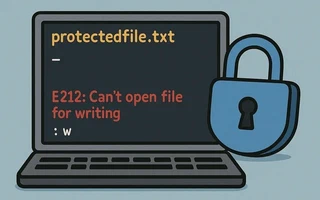
Today, after a long time editing the Apache configuration file (/etc/httpd/httpd.conf), I realized
that I was logged in as a normal user and couldn’t save the file
(E212: Can't open file for writing).
A common solution is to save a copy in any directory and then replace the original file with the
copy using sudo mv. But I knew there was a simpler way because this had happened several times in
the past.
I had forgotten the command, but I managed to find it and I will leave it documented here for future reference.
Just call sudo tee directly from vim: :w !sudo tee %
Vim will warn (W12) that the file has been modified and needs to be reloaded. Press L to reload.
Why does it work?
From the :help file of vim and man tee, we have:
:w[rite] {file}⇒ Writes the entire buffer to {file}.!{cmd}⇒ Executes {cmd} with the shell.tee [FILE]⇒ Reads from standard input and writes to FILE (or stdout).%⇒ Reference to the current file
In other words, we send the buffer as if it were a pipe to the input of sudo tee %, which writes
this buffer to the current file, but as a superuser.
Some alternatives I found on commandlinefu:
:%!sudo tee %:w !sudo tee > /dev/null %command W :execute ':silent w !sudo tee % > /dev/null' | :edit!:w !pfexec tee %
Neovim
(Session added in March 2024)
The previous tip does not work in Neovim (see https://github.com/neovim/neovim/issues/1716).
Fortunately, there are plugins that solve this problem. I use Suda: https://github.com/lambdalisue/suda.vim.
It adds the commands :SudaWrite and :SudaRead to write and read files that require elevated
permissions.
Links

I’m a Brazilian computer engineer based in Germany, passionate about tech, science, photography, and languages.
I’ve been programming for about two decades already, exploring everything from mobile apps and web development to machine learning. These days I focus on cloud SRE and data engineering.
I volunteer in the open source and Python communities, helping organize PyCon DE and PyData Berlin, mentoring, and contributing with code and translations.
On my blog, I share Linux tips, setup guides, and personal notes I’ve written for future reference. I hope others find them helpful as well. The content is available in multiple languages.
Browse my gallery for some of my photography.
Away from the keyboard, you’ll find me at concerts, playing clarinet, cycling, scuba diving, or exploring new places, cultures, and cuisines.
Always happy to connect! 🙂