Using HDMI for Audio Only

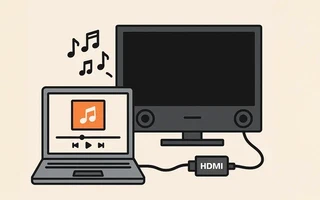
I prefer to use my TV (LG 32LE4600) as a monitor for almost everything, but I find it more practical to use the laptop screen when I’m facing my study desk.
Sometimes I like to have background music while studying. I was using the laptop’s internal speakers to avoid the discomfort of wearing headphones, but their sound quality is very poor.
So I decided to use the TV sound, which is much better. I selected Digital Stereo (HDMI) Output in
pavucontrol (I use PulseAudio) and realized that it was as if the TV was disconnected, even though
the HDMI cable was connected.
The solution I came up with on the spot and worked well was to use xrandr to make the TV display
an enlarged version of my 13.3" laptop screen:
xrandr --fb 1366x768 --output LVDS1 --auto --output HDMI1 --auto --scale 0.711x0.711
And then go to the power saving options on my TV and select Screen Off.
It may seem like a workaround, and there is probably a simpler way, but this solution is working very well.
(Now back to studying…)

I’m a Brazilian computer engineer based in Germany, passionate about tech, science, photography, and languages.
I’ve been programming for about two decades already, exploring everything from mobile apps and web development to machine learning. These days I focus on cloud SRE and data engineering.
I volunteer in the open source and Python communities, helping organize PyCon DE and PyData Berlin, mentoring, and contributing with code and translations.
On my blog, I share Linux tips, setup guides, and personal notes I’ve written for future reference. I hope others find them helpful as well. The content is available in multiple languages.
Browse my gallery for some of my photography.
Away from the keyboard, you’ll find me at concerts, playing clarinet, cycling, scuba diving, or exploring new places, cultures, and cuisines.
Always happy to connect! 🙂