Sync iPhone and Google

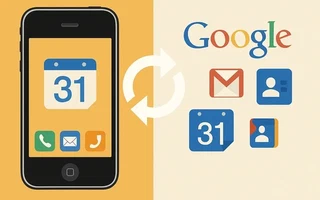
I used to sync my iPhone through iTunes, but that’s not good. First, because I don’t like iTunes,
second, because it doesn’t run natively here; wine and VMs are just workarounds.
At https://www.google.com/calendar/iphoneselect you can choose which calendars to sync, notice that some are unavailable.
Tip: if you sync an email, disable the archive option. The archive button will be replaced by the trash button.
The best way to sync contacts, calendars, and emails is by using Google Sync, in this
link there is a very
simple tutorial that basically consists of choosing Microsoft Exchange in Add account… and using
<m.google.com> as the server.
Syncing the calendar is even better because it also shows the birthdays of contacts, when I synced
through Google account, they didn’t appear. One issue was it not syncing with the
Brazilian Holidays, to fix this:
Settings » Mail, Contacts, Calendars » Add Account… » Add Subscribed Calendar
In server, enter the calendar found at http://www.icalworld.com/holidays.html
In my case it is: webcal://ical.mac.com/ical/Brazil32Holidays.ics

I’m a Brazilian computer engineer based in Germany, passionate about tech, science, photography, and languages.
I’ve been programming for about two decades already, exploring everything from mobile apps and web development to machine learning. These days I focus on cloud SRE and data engineering.
I volunteer in the open source and Python communities, helping organize PyCon DE and PyData Berlin, mentoring, and contributing with code and translations.
On my blog, I share Linux tips, setup guides, and personal notes I’ve written for future reference. I hope others find them helpful as well. The content is available in multiple languages.
Browse my gallery for some of my photography.
Away from the keyboard, you’ll find me at concerts, playing clarinet, cycling, scuba diving, or exploring new places, cultures, and cuisines.
Always happy to connect! 🙂