Apache Subversion (SVN)

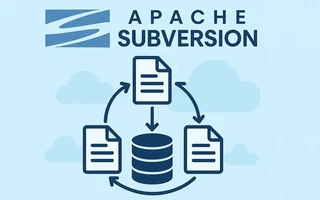
Subversion (SVN) is an open source version control system (VCS) that came about to replace the limited CVS. SVN manages files and directories and the changes made to them over time. That lets us recover older versions of your data or examine the history of changes.
Even though I am not a big fan of subversion (Git FTW!), I do not hate it either, the way Linus does, and I have had to use it for a university project.
Do the initial installation and configuration
Install Subversion
julio@julio-acer ~> sudo pacman -S subversionInstall Apache
julio@julio-acer ~> sudo pacman -S apacheTips for configuring Apache are available on the Wiki.
Check whether the following lines are present in
/etc/httpd/conf/httpd.conf and add the ones that are missing:
    LoadModule dav_module           modules/mod_dav.so
    LoadModule dav_fs_module        modules/mod_dav_fs.so
    LoadModule dav_svn_module       modules/mod_dav_svn.so
    LoadModule authz_svn_module     modules/mod_authz_svn.so
Make sure the line
Include /etc/httpd/conf/extra/httpd-ssl.confis uncommented in/etc/httpd/conf/httpd.confGenerate an SSL certificate
[root@julio-acer ~]# cd /etc/httpd/conf/
[root@julio-acer conf]# openssl req -new -x509 -keyout server.key -out server.crt -days 365 -nodes
Generating a 1024 bit RSA private key
..++++++
........++++++
writing new private key to 'server.key'
-----
You are about to be asked to enter information that will be incorporated
into your certificate request.
What you are about to enter is what is called a Distinguished Name or a DN.
There are quite a few fields but you can leave some blank
For some fields there will be a default value,
If you enter '.', the field will be left blank.
-----
Country Name (2 letter code) [AU]:BR
State or Province Name (full name) [Some-State]:Sao Paulo
Locality Name (eg, city) []:Sao Jose dos Campos
Organization Name (eg, company) [Internet Widgits Pty Ltd]:
Organizational Unit Name (eg, section) []:
Common Name (eg, YOUR name) []:Julio
Email Address []:julio@…
Add the following lines to the file
`/etc/httpd/conf/extra/httpd-ssl.conf` to make Apache support SVN
    ## For SVN
    <Location /svn>
        DAV svn
        SVNParentPath /srv/svn/repositorios
        AuthName "SVN Repositories"
        AuthType Basic
        AuthzSVNAccessFile /srv/svn/svn-policy
        AuthUserFile /srv/svn/svn-auth
        Satisfy Any
        Require valid-user
    </Location>[/sourcecode]
Configure the directories, users and permissions
Create a group for ssh access to the repositories
[root@julio-acer ~]# groupadd svnusersCreate a directory where all the repositories will live
julio@julio-acer ~> mkdir -p /srv/svn/repositorios
julio@julio-acer ~> chmod -R 755 /srv/svn/repositorios
This directory can be created elsewhere. I kept it in /srv/svn because that is the directory I used when I installed rTorrent from SVN, as described in this Post.
Give yourself and Apache access to the repositories
julio@julio-acer ~> sudo gpasswd -a http svnusers
Adding user http to group svnusers
julio@julio-acer ~> sudo gpasswd -a julio svnusers
Adding user julio to group svnusers
Log out for it to take effect.
Create the file /srv/svn/svn-policy and make it look like this
julio@julio-acer ~> cat /srv/svn/svn-policy
[/]
* = r

[projeto:/]
julio = rw
Create the file /srv/svn/svn-auth with
htpasswdorhtdigest[root@julio-acer ~]# htpasswd -cs /srv/svn/svn-auth julio New password: Re-type new password: Adding password for user julioTo add other users, just drop the
-cfrom the command.Create a repository
julio@julio-acer ~> svnadmin create /srv/svn/repositorios/projetoChange the permissions
julio@julio-acer ~> sudo chown -R http.svnusers /srv/svn/repositorios/projeto
julio@julio-acer ~> sudo chmod -R g-w /srv/svn/repositorios/projeto
julio@julio-acer ~> sudo chmod -R g+w /srv/svn/repositorios/projeto/{db,locks}
A repository’s typical structure looks like this:
project |--branches |--tags |--trunkBranches: Holds copies of the files being developed or maintained, but on a separate line of development. For example, the code for v4 may sit inside a Branch to let people work on future changes that will not be shipped any time soon. That lets them do their work without putting immature code into the trunk.
Tags: Holds copies of the software at its various stages of development, such as v1, v2 and v3.
Trunk: - Used to keep the most up-to-date stable version of the software.
Putting a project under version control. Assuming we already have a project called codefest, let us import its files into the trunk folder of the “projeto” repository:
julio@julio-acer ~> svn import ~/codefest/ file:///srv/svn/repositorios/projeto/trunk -m 'importacao inicial'
Adding         /home/julio/codefest/amostras
Adding  (bin)  /home/julio/codefest/amostras/codefest.xls
Adding         /home/julio/codefest/amostras/imagens
Adding  (bin)  /home/julio/codefest/amostras/imagens/1.jpg
Adding  (bin)  /home/julio/codefest/amostras/imagens/2.jpg
Adding  (bin)  /home/julio/codefest/amostras/imagens/3.jpg
Adding         /home/julio/codefest/amostras/codefest.txt
Adding         /home/julio/codefest/código
Adding         /home/julio/codefest/código/matching.py
Adding         /home/julio/codefest/código/color_name.py
Adding         /home/julio/codefest/código/inicializador.py
Adding         /home/julio/codefest/código/image.py
Adding         /home/julio/codefest/código/dominant_color.py

Committed revision 1.
To list the trunk directory after the commit, just use the following command
julio@julio-acer ~> svn ls file:///srv/svn/repositorios/projeto/trunk
amostras/
código/
Checkout
julio@julio-acer ~> svn co file:///srv/svn/repositorios/projeto/trunk ~/codefest-svn
A    /home/julio/codefest-svn/amostras
A    /home/julio/codefest-svn/amostras/codefest.xls
A    /home/julio/codefest-svn/amostras/imagens
A    /home/julio/codefest-svn/amostras/imagens/1.jpg
A    /home/julio/codefest-svn/amostras/imagens/2.jpg
A    /home/julio/codefest-svn/amostras/imagens/3.jpg
A    /home/julio/codefest-svn/amostras/codefest.txt
A    /home/julio/codefest-svn/código
A    /home/julio/codefest-svn/código/matching.py
A    /home/julio/codefest-svn/código/color_name.py
A    /home/julio/codefest-svn/código/inicializador.py
A    /home/julio/codefest-svn/código/image.py
A    /home/julio/codefest-svn/código/dominant_color.py
Checked out revision 1.
Protocols
file://→ Basic, but you can only work on the same machine that hosts the repositories.svn://→ Uses a server to talk to Subversion (Apache in this case).svn+ssh://→ Uses SSH to talk to the serverhttp://→ Friendly; usesWEBDAVto allow communication with Subversion repositories over HTTP.https://→ Like http, but with SSL encryption
Restart Apache
julio@julio-acer ~> sudo /etc/rc.d/httpd restart
Password:
:: Restarting Apache Web Server                             [DONE]
You should now be able to browse the project at https://localhost/svn/projeto/.
Links
- http://rockfloat.com/howto/gentoo-subversion.html ➜ An explanation for Gentoo (main source)
- http://svnbook.red-bean.com/ ➜ A Creative Commons book
- http://ankhsvn.open.collab.net/ ➜ For Visual Studio
- https://wiki.archlinux.org/index.php/Subversion_Setup
- http://en.wikipedia.org/wiki/WebDAV
- http://svnbook.red-bean.com/en/1.0/ch06s04.html
- http://subversion.apache.org/features.html
- http://www.javaworld.com/javaworld/jw-09-2007/jw-09-versioncontrol.html?page=1 ➜ An excellent text comparing CVS, SVN, Mercurial and Bazaar

I’m a Brazilian computer engineer based in Germany, passionate about tech, science, photography, and languages.
I’ve been programming for about two decades already, exploring everything from mobile apps and web development to machine learning. These days I focus on cloud SRE and data engineering.
I volunteer in the open source and Python communities, helping organize PyCon DE and PyData Berlin, mentoring, and contributing with code and translations.
On my blog, I share Linux tips, setup guides, and personal notes I’ve written for future reference. I hope others find them helpful as well. The content is available in multiple languages.
Browse my gallery for some of my photography.
Away from the keyboard, you’ll find me at concerts, playing clarinet, cycling, scuba diving, or exploring new places, cultures, and cuisines.
Always happy to connect! 🙂