Remove CRLF

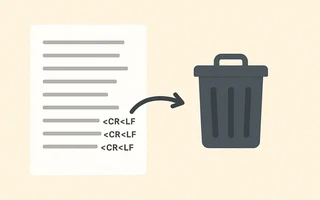
To stay compatible with the convention used by old
Teletypes, DOS/Windows uses two control characters to
represent a line break, a Carriage Return (CR =
0x0D) and a Line Feed (LF = 0x0A). Unix-like systems,
however, realized this wasted 1 byte per line and that a single LF was enough to represent a new
line.
Example:
$ cat bacon.txt
Bacon Ipsum:

Bacon ipsum dolor sit amet salami
pork belly tail tongue pancetta,
pork loin tri-tip drumstick bresaola shankle.
$ file bacon_windows.txt bacon_linux.txt
bacon_windows.txt: ASCII text, with CRLF line terminators
bacon_linux.txt:   ASCII text
$ hexdump -C bacon_linux.txt
00000000  42 61 63 6f 6e 20 49 70  73 75 6d 3a <strong>0a 0a</strong> 42 61  |Bacon Ipsum:..Ba|
00000010  63 6f 6e 20 69 70 73 75  6d 20 64 6f 6c 6f 72 20  |con ipsum dolor |
00000020  73 69 74 20 61 6d 65 74  20 73 61 6c 61 6d 69 <strong>0a</strong>  |sit amet salami.|
00000030  70 6f 72 6b 20 62 65 6c  6c 79 20 74 61 69 6c 20  |pork belly tail |
00000040  74 6f 6e 67 75 65 20 70  61 6e 63 65 74 74 61 2c  |tongue pancetta,|
00000050  <strong>0a</strong> 70 6f 72 6b 20 6c 6f  69 6e 20 74 72 69 2d 74  |.pork loin tri-t|
00000060  69 70 20 64 72 75 6d 73  74 69 63 6b 20 62 72 65  |ip drumstick bre|
00000070  73 61 6f 6c 61 20 73 68  61 6e 6b 6c 65 2e <strong>0a</strong>     |saola shankle..|
0000007f
$ hexdump -C bacon_windows.txt
00000000  42 61 63 6f 6e 20 49 70  73 75 6d 3a <strong>0d 0a 0d 0a</strong>  |Bacon Ipsum:....|
00000010  42 61 63 6f 6e 20 69 70  73 75 6d 20 64 6f 6c 6f  |Bacon ipsum dolo|
00000020  72 20 73 69 74 20 61 6d  65 74 20 73 61 6c 61 6d  |r sit amet salam|
00000030  69 <strong>0d 0a</strong> 70 6f 72 6b 20  62 65 6c 6c 79 20 74 61  |i..pork belly ta|
00000040  69 6c 20 74 6f 6e 67 75  65 20 70 61 6e 63 65 74  |il tongue pancet|
00000050  74 61 2c <strong>0d 0a</strong> 70 6f 72  6b 20 6c 6f 69 6e 20 74  |ta,..pork loin t|
00000060  72 69 2d 74 69 70 20 64  72 75 6d 73 74 69 63 6b  |ri-tip drumstick|
00000070  20 62 72 65 73 61 6f 6c  61 20 73 68 61 6e 6b 6c  | bresaola shankl|
00000080  65 2e <strong>0d 0a</strong>                                       |e...|
00000084
Note that the file created on Windows has the sequence 0d 0a in the places where the file created
on Linux only has 0a. Naturally that was going to cause compatibility problems and headaches.
Although good editors can handle both files (in Notepad the lines of bacon_linux.txt will all show
up concatenated), files that are supposedly identical show up as different if we use tools like
“diff”:
$ diff bacon_windows.txt bacon_linux.txt
1,5c1,5
< Bacon Ipsum:
<
< Bacon ipsum dolor sit amet salami
< pork belly tail tongue pancetta,
< pork loin tri-tip drumstick bresaola shankle.
---
> Bacon Ipsum:
>
> Bacon ipsum dolor sit amet salami
> pork belly tail tongue pancetta,
> pork loin tri-tip drumstick bresaola shankle.
Today I put some code, written partly on Windows and partly on Linux, into version control and preferred to standardize everything on LF alone. Here I show how I did the conversion automatically on Linux:
Vim
Two ways:
1
- Show
CRLFas^M::e ++ff=unix. - Replace every
^Mwith a line break::s/\r/\r/. - Remove
^Monly if it is at the end of the line::s/\r\+$// - Remove every
^M::s/^M//
^M is typed as ^V^M (ctrl+V ctrl+M).
2
- Convert the file format to unix:
:setlocal fileformat=unix - Save:
:w - Reload:
:e
Converting several files
- Assume DOS format:
:set ffs=dos. - List of files to convert:
:args *.c *.h. - Change the format of each argument:
:argdo set ff=unix|w.
Other useful commands: :set list and :set nobomb.
sed
sed, Stream EDitor, is one of the most useful command-line utilities for processing text.
It works line by line, so if we know the file is in DOS format we can use sed to replace the last
two characters (CRLF = \r\n) of each line with just LF (\n):
sed -i 's/.$//' arquivo.txt
But be careful: if the file is already in Unix format, you will end up deleting the last character of every line.
The other direction, converting a file to DOS format, can also be done with GNU sed:
sed -i 's/$/\r/' arquivo.txt
Tofrodos
If you would rather not have to check whether the file already follows the Unix convention, an
alternative to sed is Tofrodos. If the file is already converted it simply leaves it as it is,
which is especially useful in scripts.
Download and install Tofrodos, available on the AUR. (Or
dos2unixfromcommunity)Run the following command in the folder that is going into version control (where
^MisCtrl+V+Ctrl+M):grep -IUrl --color '^M' . | xargs -ifile fromdos 'file'
This command will convert every CR+LF to LF in every file in the current folder and its
subfolders.
Swap fromdos for todos to do the reverse conversion (LF to CR+LF).
Links

I’m a Brazilian-German computer engineer based in Germany, passionate about tech, science, photography, and languages.
I’ve been programming for about two decades already, exploring everything from mobile apps and web development to machine learning. These days I focus on cloud SRE and data engineering.
I volunteer in the open source and Python communities, helping organize PyCon DE and PyData Berlin, serving on the PSF D&I Work Group, mentoring, and contributing code and translations.
On my blog, I share Linux tips, setup guides, and personal notes I’ve written for future reference. I hope others find them helpful as well. The content is available in multiple languages.
Browse my gallery for some of my photography.
Away from the keyboard, you’ll find me at concerts, playing clarinet, cycling, scuba diving, or exploring new places, cultures, and cuisines.
Always happy to connect! 🙂