Enable tab-completion in Python Shell

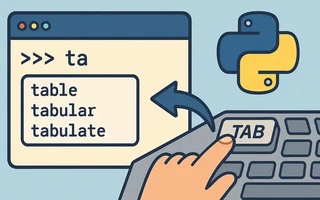
Create the file
~/.pyrcwith the following content:$ cat .pyrc # ~/.pyrc # enable syntax completion try: import readline except ImportError: print "Module readline not available." else: import rlcompleter readline.parse_and_bind("tab: complete")
If you are only using it on Linux, this try is not really necessary. I put it around the
import readline, as it uses the GNU readline library, which may have some issues outside of Linux.
Export the variable read every time a Python shell is opened (use full path with /home/user):
julio@julio-acer ~> export PYTHONSTARTUP="/home/julio/.pyrc"Insert the same line in the
.bashrcand.zshrcfiles, so the variable is always initialized. In csh, variable assignment is different. Add the following line to~/.cshrc:setenv PYTHONSTARTUP ~/.pythonrc"Ready! Press the TAB key to display the list of possible completions:
$ python
Python 3.2.2 (default, Sep  5 2011, 04:52:19)
[GCC 4.6.1 20110819 (prerelease)] on linux2
Type "help", "copyright", "credits" or "license" for more information.
>>> import re
>>> re.
re.A                  re.__eq__(            re._compile(
re.ASCII              re.__file__           re._compile_repl(
re.DEBUG              re.__format__(        re._compile_typed(
re.DOTALL             re.__ge__(            re._expand(
re.I                  re.__getattribute__(  re._pattern_type(
re.IGNORECASE         re.__gt__(            re._pickle(
re.L                  re.__hash__(          re._subx(
re.LOCALE             re.__init__(          re.compile(
re.M                  re.__le__(            re.copyreg
re.MULTILINE          re.__lt__(            re.error(
re.S                  re.__name__           re.escape(
re.Scanner(           re.__ne__(            re.findall(
re.T                  re.__new__(           re.finditer(
re.TEMPLATE           re.__package__        re.functools
re.U                  re.__reduce__(        re.match(
re.UNICODE            re.__reduce_ex__(     re.purge(
re.VERBOSE            re.__repr__(          re.search(
re.X                  re.__setattr__(       re.split(
re.__all__            re.__sizeof__(        re.sre_compile
re.__cached__         re.__str__(           re.sre_parse
re.__class__(         re.__subclasshook__(  re.sub(
re.__delattr__(       re.__version__        re.subn(
re.__dict__           re._alphanum_bytes    re.sys
re.__doc__            re._alphanum_str      re.template(
Alternatives
There are enhanced Python Shells, such as iPython. It is quite simple, interactive, and contains several interesting features, including autocompletion.
The official wiki suggests some others.

I’m a Brazilian computer engineer based in Germany, passionate about tech, science, photography, and languages.
I’ve been programming for about two decades already, exploring everything from mobile apps and web development to machine learning. These days I focus on cloud SRE and data engineering.
I volunteer in the open source and Python communities, helping organize PyCon DE and PyData Berlin, mentoring, and contributing with code and translations.
On my blog, I share Linux tips, setup guides, and personal notes I’ve written for future reference. I hope others find them helpful as well. The content is available in multiple languages.
Browse my gallery for some of my photography.
Away from the keyboard, you’ll find me at concerts, playing clarinet, cycling, scuba diving, or exploring new places, cultures, and cuisines.
Always happy to connect! 🙂