Nohup and disown

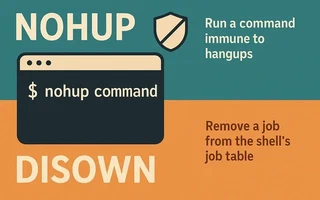
When we log out or type exit in a terminal, a hangup signal is sent to the shell,
killing all of its child processes.
The term used is hangup, because last century’s computer folk used modems to connect their
terminals to mainframes. When they “hung up the phone” a SIGHUP was sent and the connection was
closed.
But we often want to start a program and leave it running even after we log out or close the
terminal emulator’s window.
Something similar can be done with GNU Screen or Tmux, but opening those programs just for this
seems like overkill; besides, some computers do not have Screen installed and it is not a valid
option for use in scripts.
Nohup
For these cases there is nohup ("no hangup"), which makes the process immune to SIGHUP.
In my bash, just prefixing the command with nohup and sending it to the background (&) is enough
to let me close the terminal without trouble:
julio@julio-acer ~ $ nohup dropboxd &
But the same does not work in ZSH:
julio@julio-acer ~> nohup dropboxd &
  [1] 13434
  nohup: ignoring input and appending output to ‘nohup.out’
julio@julio-acer ~> exit
  zsh: you have running jobs.
Trying exit again will kill the program abruptly.
That happens because there are still connections to stdin, stdout and stderr. If we redirect them to
/dev/null (or another file) we can leave the shell (exit or logout) without trouble:
julio@julio-acer ~> nohup dropboxd &> /dev/null < /dev/null &!
julio@julio-acer ~> exit
Disown
But what if you started a program without nohup and want to log out without having to kill it?
In Bash and ZSH there is the disown command, which detaches a job from the current shell (removes it from the job list). This lets you close the shell without the job being interrupted.
julio@julio-acer ~> dropboxd
^Z
[1]  + 23042 suspended  dropboxd
julio@julio-acer ~> bg %1
[1]  + 23042 continued  dropboxd
julio@julio-acer ~> jobs
[1]  + running    dropboxd
julio@julio-acer ~> disown %dropboxd
julio@julio-acer ~> jobs
julio@julio-acer ~> ps 23042
  PID   TTY      STAT   TIME  COMMAND
  23042 pts/7    SNl    0:02  /opt/dropbox/dropbox

julio@julio-acer ~> exit
From man bash, we have:
disown
\[-**ar**\]\[**-h**\]\[_jobspec_ ...\]
Without options, each jobspec is removed from the table of active jobs. If jobspec is not present, and neither -a nor -r is supplied, the shell’s notion of the current job is used. If the -h option is given, each jobspec is not removed from the table, but is marked so that SIGHUP is not sent to the job if the shell receives a SIGHUP. If no jobspec is present, and neither the -a nor the -r option is supplied, the current job is used. If no jobspec is supplied, the -a option means to remove or mark all jobs; the -r option without a jobspec argument restricts operation to running jobs. The return value is 0 unless a jobspec does not specify a valid job.
One interesting option is -h, which makes disown behave exactly like nohup. However, that option
is exclusive to Bash’s disown and does not work in ZSH.
We can also call disown together with the program. The behavior is practically the same as nohup
and, since I do not have to worry about redirecting the streams (stdin, stdout, stderr), I
almost always use disown instead of nohup:
julio@julio-acer ~> dropboxd& disown && exit

I’m a Brazilian computer engineer based in Germany, passionate about tech, science, photography, and languages.
I’ve been programming for about two decades already, exploring everything from mobile apps and web development to machine learning. These days I focus on cloud SRE and data engineering.
I volunteer in the open source and Python communities, helping organize PyCon DE and PyData Berlin, mentoring, and contributing with code and translations.
On my blog, I share Linux tips, setup guides, and personal notes I’ve written for future reference. I hope others find them helpful as well. The content is available in multiple languages.
Browse my gallery for some of my photography.
Away from the keyboard, you’ll find me at concerts, playing clarinet, cycling, scuba diving, or exploring new places, cultures, and cuisines.
Always happy to connect! 🙂