Jailbreak

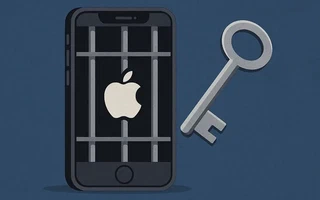
Jailbreaking is a process that configures
/etc/fstab to mount every iPhone partition for reading and writing, giving you full access to the
system and removing the restrictions imposed by Apple.
With a jailbreak you get access to the packages available through Cydia, such as OpenSSH and customization themes.
Here I jailbroke an iPhone 3G running iOS 4.2.1. On theiphonewiki.com I found several programs that can jailbreak from Windows; I tried two:
Greenpois0n: Even though the iPhone 3G is listed among the compatible devices in the README, it is not compatible.
Redsn0w: Formerly QuickPWN. Quite simple, and the one I used to jailbreak my iPhone.
Redsn0w
Download redsn0w_win_0.9.6rc19.zip or a newer version. Make sure the version does an untethered jailbreak, so you do not have to connect the iPhone to the computer on every reboot.
Download firmware 4.2.1 and restore the iPhone
through iTunes using that firmware. Since this is the last version for the iPhone 3G, you can
restore normally, and the firmware will be saved to
C:\Users\Julio\AppData\Roaming\Apple Computer\iTunes\iPhone Software\Updates\iPhone1,2_4.2.1_8C148_Restore.ipsw.
Start redsn0w, connect the iPhone over USB and turn it off. On the first screen, select the
firmware you used in the previous step. On the second screen, check Install Cydia,
Enable multitasking and Enable battery percentage.
Follow the process to put it into DFU mode and the jailbreak will start.
Installing useful programs
After restarting the iPhone, look for the package called OpenSSH in Cydia and install it.
Connect to the iPhone over SSH from a computer. The user is root and the password is alpine:
julio@julio-acer ~  $  ssh root@10.0.0.3

root@10.0.0.3's password:
Julios-iPhone:~ root#
Change the root password:
Julios-iPhone:~ root# passwd
  Changing password for root.
  New password:
  Retype new password:
Change the mobile user’s password too:
Julios-iPhone:~ root# passwd mobile
  Changing password for mobile.
  New password:
  Retype new password:
Installing a terminal
The standard terminal is MobileTerminal. The version in
Cydia is incompatible, so download the new version from the site and send the .deb package to the
/var/root/Media/Cydia/AutoInstall folder:
julio@julio-acer ~  $  scp MobileTerminal_520-1_iphoneos-arm.deb root@10.0.0.3:/var/root/Media/Cydia/AutoInstall
  root@10.0.0.3's password:
  MobileTerminal_520-1_iphoneos-arm.deb          100%  232KB 232.4KB/s   00:00
Cydia will install the terminal automatically. Restart the iPhone for the icon to show up.

I’m a Brazilian computer engineer based in Germany, passionate about tech, science, photography, and languages.
I’ve been programming for about two decades already, exploring everything from mobile apps and web development to machine learning. These days I focus on cloud SRE and data engineering.
I volunteer in the open source and Python communities, helping organize PyCon DE and PyData Berlin, mentoring, and contributing with code and translations.
On my blog, I share Linux tips, setup guides, and personal notes I’ve written for future reference. I hope others find them helpful as well. The content is available in multiple languages.
Browse my gallery for some of my photography.
Away from the keyboard, you’ll find me at concerts, playing clarinet, cycling, scuba diving, or exploring new places, cultures, and cuisines.
Always happy to connect! 🙂