Emulate mouse using keyboard

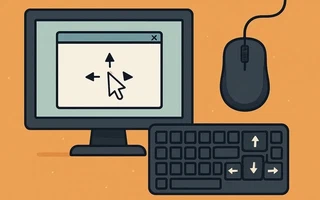
As I wrote in a previous post, I bought a wireless keyboard and mouse to use the computer from about 3 meters away. However, the mouse is not working.
While the combination of the window manager Awesome and the predominant use of command-line programs almost allow me to not need a cursor, some programs and web pages are not very friendly to someone without a mouse.
Until I buy another mouse, my temporary solution was to configure the numeric keypad to control the pointer movement, simulate the scroll wheel, and the buttons.
Download
xdotooljulio@julio-acer ~> sudo pacman -S xdotoolAdd the following lines to
~/.xbindkeysrc# Move to northwest (top-left) "xdotool mousemove_relative -- -10 -10" KP_Home # Move to north (up) "xdotool mousemove_relative 0 -10" KP_Up # Move to northeast (top-right) "xdotool mousemove_relative 10 -10" KP_Prior # Move to west (left) "xdotool mousemove_relative -- -10 0" KP_Left # Move to east (right) "xdotool mousemove_relative 10 0" KP_Right # Move to southwest (bottom-left) "xdotool mousemove_relative -- -10 10" KP_End # Move to south (down) "xdotool mousemove_relative 0 10" KP_Down # Move to southeast (bottom-right) "xdotool mousemove_relative 10 10" KP_Next # Left click "xdotool click 1" KP_Insert # Middle click "xdotool click 2" KP_Delete # Right click "xdotool click 3" KP_Enter # Scroll up "xdotool click 4" KP_Subtract # Scroll down "xdotool click 5" KP_Add
Modify the keys according to the output of xev and you’re all set! I managed to simulate the basic
functions of the mouse using the keyboard.

I’m a Brazilian computer engineer based in Germany, passionate about tech, science, photography, and languages.
I’ve been programming for about two decades already, exploring everything from mobile apps and web development to machine learning. These days I focus on cloud SRE and data engineering.
I volunteer in the open source and Python communities, helping organize PyCon DE and PyData Berlin, mentoring, and contributing with code and translations.
On my blog, I share Linux tips, setup guides, and personal notes I’ve written for future reference. I hope others find them helpful as well. The content is available in multiple languages.
Browse my gallery for some of my photography.
Away from the keyboard, you’ll find me at concerts, playing clarinet, cycling, scuba diving, or exploring new places, cultures, and cuisines.
Always happy to connect! 🙂