Discover Network Driver Name

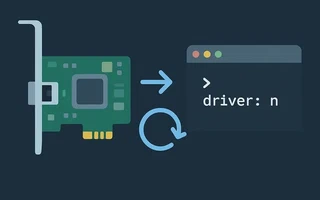
Instead of restarting the computer after network issues, it can be much more practical to just restart the card, that is, add and remove the kernel module. But, for that, we first need to know the driver’s name.
Discover the interface names by looking at the first column of ifconfig:
$ ifconfig -s
  Iface      MTU    RX-OK RX-ERR RX-DRP RX-OVR    TX-OK TX-ERR TX-DRP TX-OVR Flg
  enp2s0    1500   101565      0      0 0         54380      0      0      0 BMRU
  lo       65536    26832      0      0 0         26832      0      0      0 LRU
  wlp1s0    1500   868562      0      0 0        595601      0      0      0 BMRU
Then use ethtool to discover the driver’s name:
$ ethtool -i enp2s0
  driver: atl1c
  version: 1.0.1.1-NAPI
  firmware-version:
  bus-info: 0000:02:00.0
  supports-statistics: no
  supports-test: no
  supports-eeprom-access: yes
  supports-register-dump: yes
  supports-priv-flags: no
$ ethtool -i wlp1s0
  driver: iwlwifi
  version: 3.9.5-1-ARCH
  firmware-version: 8.83.5.1 build 33692
  bus-info: 0000:01:00.0
  supports-statistics: yes
  supports-test: no
  supports-eeprom-access: no
  supports-register-dump: no
  supports-priv-flags: no
Restart the module using modprobe:
sudo modprobe -r atl1c
sudo modprobe atl1c

I’m a Brazilian computer engineer based in Germany, passionate about tech, science, photography, and languages.
I’ve been programming for about two decades already, exploring everything from mobile apps and web development to machine learning. These days I focus on cloud SRE and data engineering.
I volunteer in the open source and Python communities, helping organize PyCon DE and PyData Berlin, mentoring, and contributing with code and translations.
On my blog, I share Linux tips, setup guides, and personal notes I’ve written for future reference. I hope others find them helpful as well. The content is available in multiple languages.
Browse my gallery for some of my photography.
Away from the keyboard, you’ll find me at concerts, playing clarinet, cycling, scuba diving, or exploring new places, cultures, and cuisines.
Always happy to connect! 🙂