Acer Keyboard

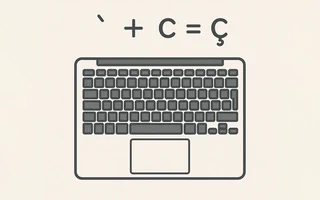
The keyboard on my Acer AS3810T-6376 uses the US layout.
In most desktop environments it is easy to configure the keyboard, but in Awesome you have to do
it by hand.
In
rc.conf:KEYMAP="us-acentos"In
.xinitrc:setxkbmap -model acer_laptop -layout us -variant intl -option terminate:ctrl_alt_bksp
The only problem is the ç, which has to be typed with AltGr + , — not very practical.
One way to fix that is to create a shortcut using ~/.xmodmap
Create the file
~/.xmodmap:xmodmap -pke > ~/.xmodmapAnd edit the line
keycode 54 = c C ccedilla Ccedilla

I’m a Brazilian-German computer engineer based in Germany, passionate about tech, science, photography, and languages.
I’ve been programming for about two decades already, exploring everything from mobile apps and web development to machine learning. These days I focus on cloud SRE and data engineering.
I volunteer in the open source and Python communities, helping organize PyCon DE and PyData Berlin, serving on the PSF D&I Work Group, mentoring, and contributing code and translations.
On my blog, I share Linux tips, setup guides, and personal notes I’ve written for future reference. I hope others find them helpful as well. The content is available in multiple languages.
Browse my gallery for some of my photography.
Away from the keyboard, you’ll find me at concerts, playing clarinet, cycling, scuba diving, or exploring new places, cultures, and cuisines.
Always happy to connect! 🙂